 Talkie Timer
Say it once. It keeps saying it until it’s time.
Record a quick reminder in your own voice. Talkie Timer plays it five times a minute until the time you pick, even with the phone locked. Then it stops on its own.
Free while it’s in beta. No account, no sign-up.
Three taps. Then you can stop repeating yourself.
-
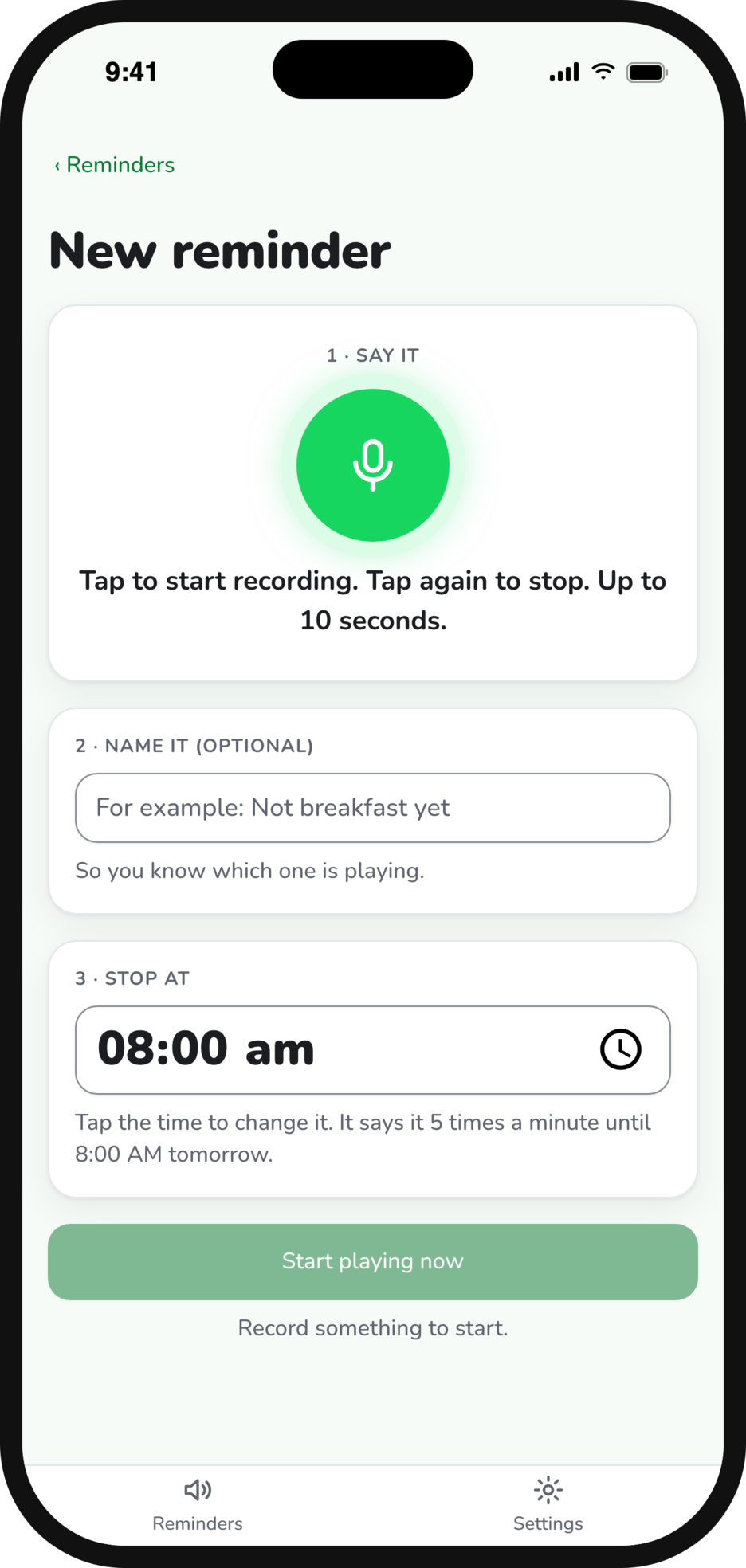
Say it
Tap the big button and say the reminder, up to ten seconds. Your voice works better than any alarm tone.
-
Pick when it stops
Choose a stop time: breakfast, leaving for school, the end of quiet time. Name it if you like.
-
It keeps saying it
It plays five times a minute, right through the silent switch, until the stop time. Then it goes quiet by itself.
Lock the phone. It keeps going.
Each reminder sits on the lock screen and in the Dynamic Island, with a ring that empties as the stop time gets closer. Change it without unlocking.
- Mute silences it until you turn it back on.
- Snooze gives you ten quiet minutes, then it carries on.
- Pause stops the clock too. Resume and the stop time moves later.
- End stops it now and marks it finished.
Tap the buttons to try them.
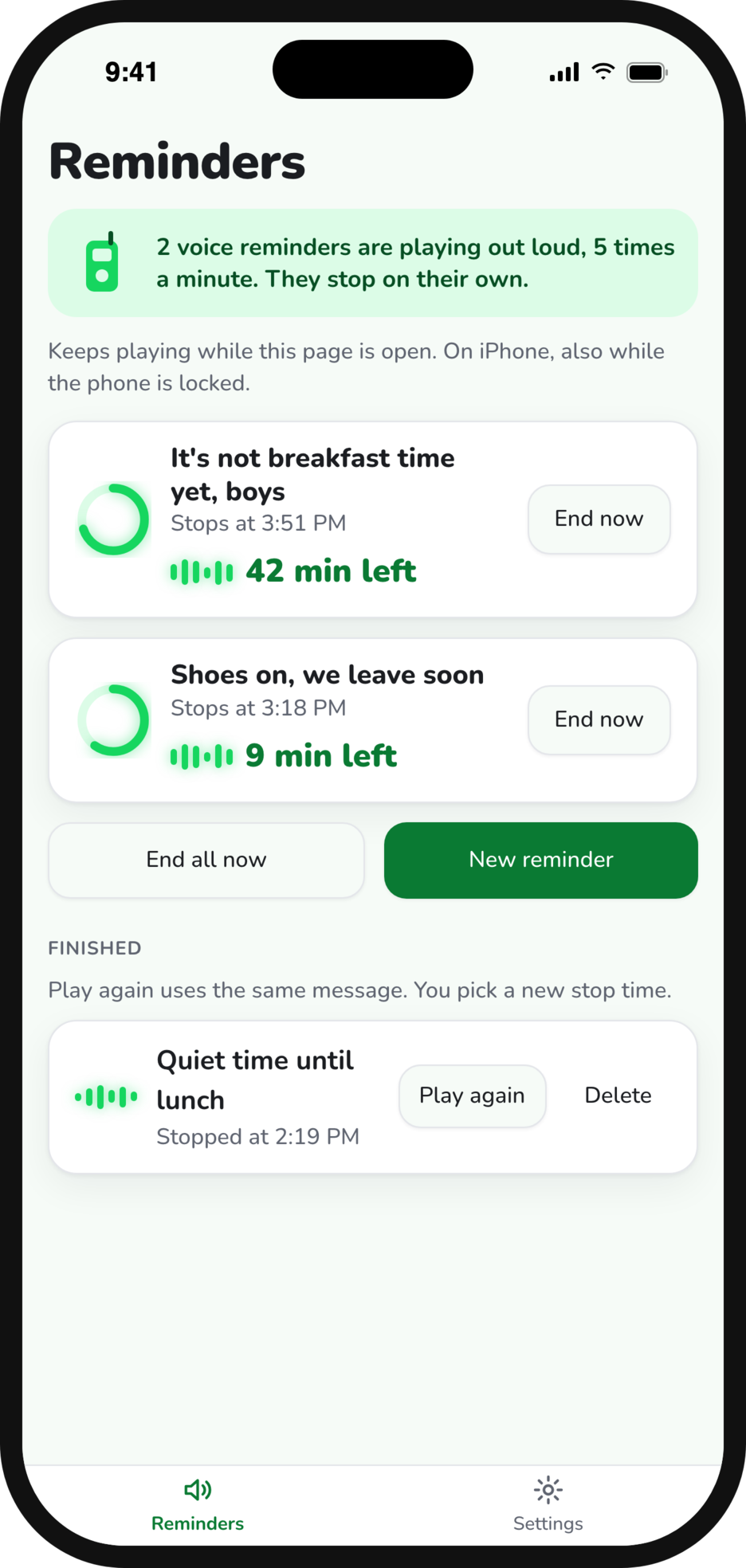
Let the walkie-talkie do the nagging.
It’s not breakfast time yet.For early risers who don’t read clocks yet.until 7:00 am
Shoes on, we leave soon.A steady countdown to the door, without the shouting.until 8:15 am
Quiet time until lunch.Keeps the rule going while you get something done.until 12:00 pm
Screens off when it stops.Everyone hears the same thing, as many times as it takes.until 5:30 pm
Run several at once. Each one keeps its own voice, its own name and its own stop time.
Big buttons. Nothing to set up.
Your voice stays on your phone.
No account
Open it and record. There’s nothing to sign up for.
Recordings stay put
Clips are saved on the phone only, left out of iCloud and computer backups.
Nothing collected
No tracking and no ads. Read the privacy policy.
Questions
Does it keep playing when the phone is locked?
Yes, in the iPhone app. It keeps playing with the screen locked and stops by itself at the stop time. In a web browser it only plays while the page is open and the screen is on.
Does it play when the silent switch is on?
Yes. Talkie Timer plays like a music app, so the silent switch doesn’t stop it. The volume buttons still set how loud it is.
Can I run more than one at a time?
Yes. Each reminder plays on its own schedule, and each gets its own card on the lock screen.
Will it cut off my music?
No. It plays over whatever else is playing instead of stopping it.
Which iPhones does it work on?
Any iPhone on iOS 17 or later. The lock screen controls need iOS 17 too.
How do I get the beta?
Tap “Join the iPhone beta”. It opens Apple’s TestFlight app, which installs Talkie Timer for free.
Say it once tonight.
Talkie Timer is in free beta on iPhone. Join through TestFlight and you’ll get every update as it lands.